
Nothing is more frustrating than being ready to cash out and finding that the SMS confirmation code from 1xBet simply never arrives. It’s a common issue, and in the vast majority of cases it comes down to a handful of fixable causes rather than a lost withdrawal. This guide walks through why the code matters, how to fix the problem step by step, and what to do if the usual troubleshooting doesn’t work.
Why You Need an SMS Code When Withdrawing Money
The SMS code is a two-factor authentication step applied specifically to withdrawal requests. Here’s why it exists:
- Theft protection. Even if someone learns your password, they can’t move money out of your account without the code sent to your phone.
- Fraud prevention. The code confirms that the withdrawal request is coming from the actual account holder, not someone who gained unauthorized access.
- An extra check on the transaction. Entering a code gives you a moment to double-check the withdrawal amount and destination before it’s finalized.
- Personal data protection. Two-factor authentication adds a layer of defense around the account beyond just a password.
This kind of SMS-based confirmation is standard industry practice for financial transactions at online bookmakers and isn’t unique to 1xBet — it’s the same logic banks and payment apps use for large or sensitive transfers.
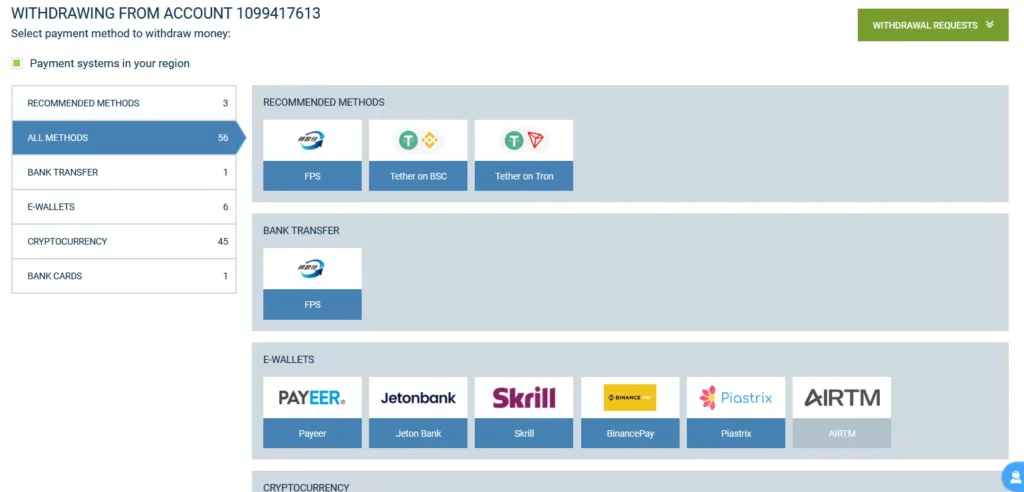
I don’t receive an SMS with a code from 1xBet for withdrawal of money
How to Link Your Phone to Your 1xBet Account
To receive SMS codes at all, your phone needs to be linked to your account first. The process takes a couple of minutes:
- Log in to your account on the 1xBet website.
- Open Account Settings.
- Select Security.
- Click Tethering your phone.
- Enter your phone number and confirm.
- Enter the SMS code you receive to complete the link.
A few things to keep in mind:
- Use only a number registered to you — shared or previously used numbers are a common cause of failed verification.
- Double-check every digit before confirming.
- Without a linked phone, you will not be able to withdraw funds, so it’s worth doing this step right after registration rather than waiting until you need to cash out.
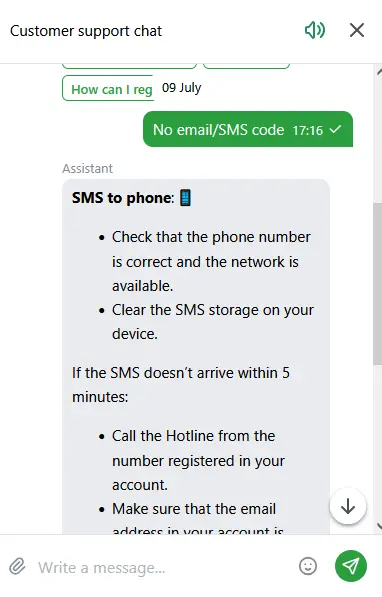
No email SMS code Issue at 1xBet
Why the SMS Doesn’t Arrive and What to Do
| Likely cause | What to do |
|---|---|
| Technical maintenance on the site | Wait a few minutes and try requesting the code again |
| Poor signal or phone issue | Restart your phone and check your connection |
| Full SMS storage | Delete old messages to free up space |
| Mobile carrier issue | Contact your carrier to confirm SMS delivery is working |
| Number accidentally blocked | Contact 1xBet support to check your account status |
| Incorrect security settings | Verify the number saved in your account settings is correct |
| Temporary SMS gateway delay | Wait a short while, then request a new code |
| Airplane mode or SMS blocking apps | Check device settings and any spam-filtering or antivirus apps |
If none of these resolve it, the fastest path is usually live chat or the support hotline rather than repeatedly requesting new codes.
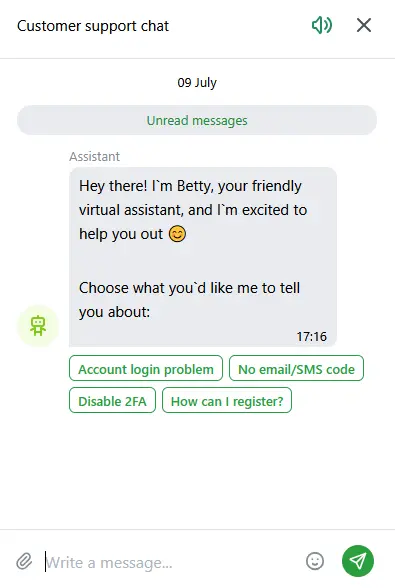
Customer support chat 1xBet
Step-by-Step: What to Do If the SMS Still Doesn’t Arrive
1. Check the Phone Number in Your Profile
- Log in to your account.
- Open your settings and find the saved phone number.
- Check it digit by digit.
If it’s wrong, don’t try to change it yourself — contact support so the correction is properly verified on their end.
2. Check Your Phone
- Delete old SMS messages if storage is full.
- Check whether messages from unknown or international numbers are being blocked.
- Confirm you have signal and airplane mode is off.
- Try sending a text to someone else to confirm SMS is working at all.
- If possible, try inserting the SIM into another device to rule out a handset issue.
3. Contact 1xBet Support
If the steps above don’t fix it, reach out directly:
- Live chat on the website — usually the fastest option.
- Support hotline.
- Email, addressed to the relevant department (see below).
Have ready: your account ID, the phone number that isn’t receiving codes, when the issue started, what you’ve already tried, and your phone model.
If the Problem Doesn’t Resolve Quickly
Most SMS delivery issues clear up within minutes after a retry or a call to support. But it’s worth being realistic: in some cases — particularly when an account needs additional security review — resolving a stuck withdrawal can take longer and may require submitting identity verification documents to support. If that happens, keep all correspondence in a single email thread rather than opening multiple new requests, since starting over with a new thread can reset the queue and slow things down further.
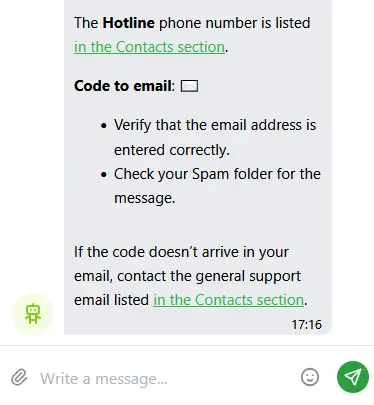
Hotline phone number at 1xBet
Other Ways to Contact 1xBet
1xBet uses separate email addresses for different types of questions:
- General questions: info@1xbet-team.com
- Security issues: security@1xbet-team.com
- Questions about money: accounting@1xbet-team.com
- Data protection questions: ciso@1xbet-team.com
- Privacy policy questions: police@1xbet-team.com
- Advertising: marketing@1xbet-team.com
- Online partnerships: b2b@1xbet-team.com
- Retail partnerships: retail@1xbet-team.com
Using the right address for your specific issue tends to get a faster response than a general inquiry.